> ## Documentation Index
> Fetch the complete documentation index at: https://docs.vibeprospecting.ai/llms.txt
> Use this file to discover all available pages before exploring further.
# Increase Coverage
> Get contact details for more of your prospects. Increase Coverage retries the contacts Explorium can't fill against multiple external providers, so more rows in your export come back with an email or phone number.
**Increase Coverage is in beta.** Try it on real lists and send feedback to [support@explorium.ai](mailto:support@explorium.ai).
When you export prospects with contact details, some of them won't have an email or phone number in Explorium's data. **Increase Coverage** fills that gap with a *waterfall*: Explorium's own contact data is used first, and every prospect still missing contact details is retried against multiple external contact providers. The result is one dataset with noticeably higher contact coverage.
## How it works
Ask for prospects the way you normally do — for example, *"Find me 200 VPs of Sales at US SaaS companies with email addresses."* Vibe Prospecting runs the search and shows a sample.
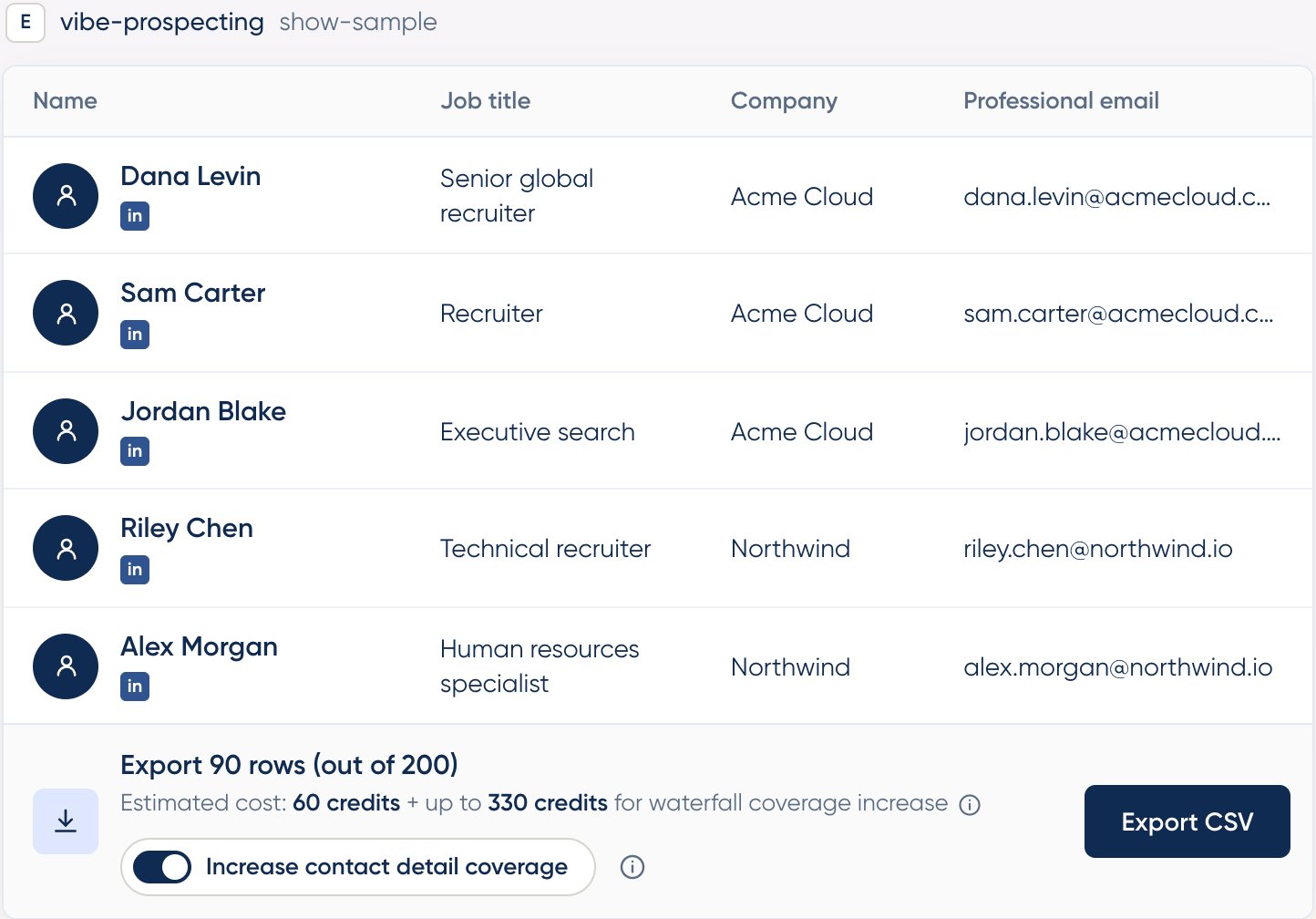
At the bottom of the **Show Sample** widget, switch on **Increase contact detail coverage**, next to **Export CSV**. With the toggle off, the standard Explorium-only export runs exactly as before.
With the toggle on, the estimate shows two parts: the standard cost of the export, plus **up to** a maximum number of credits for the coverage increase. That maximum is your worst case. You're only charged for contacts that are actually found, so the final cost is usually lower.
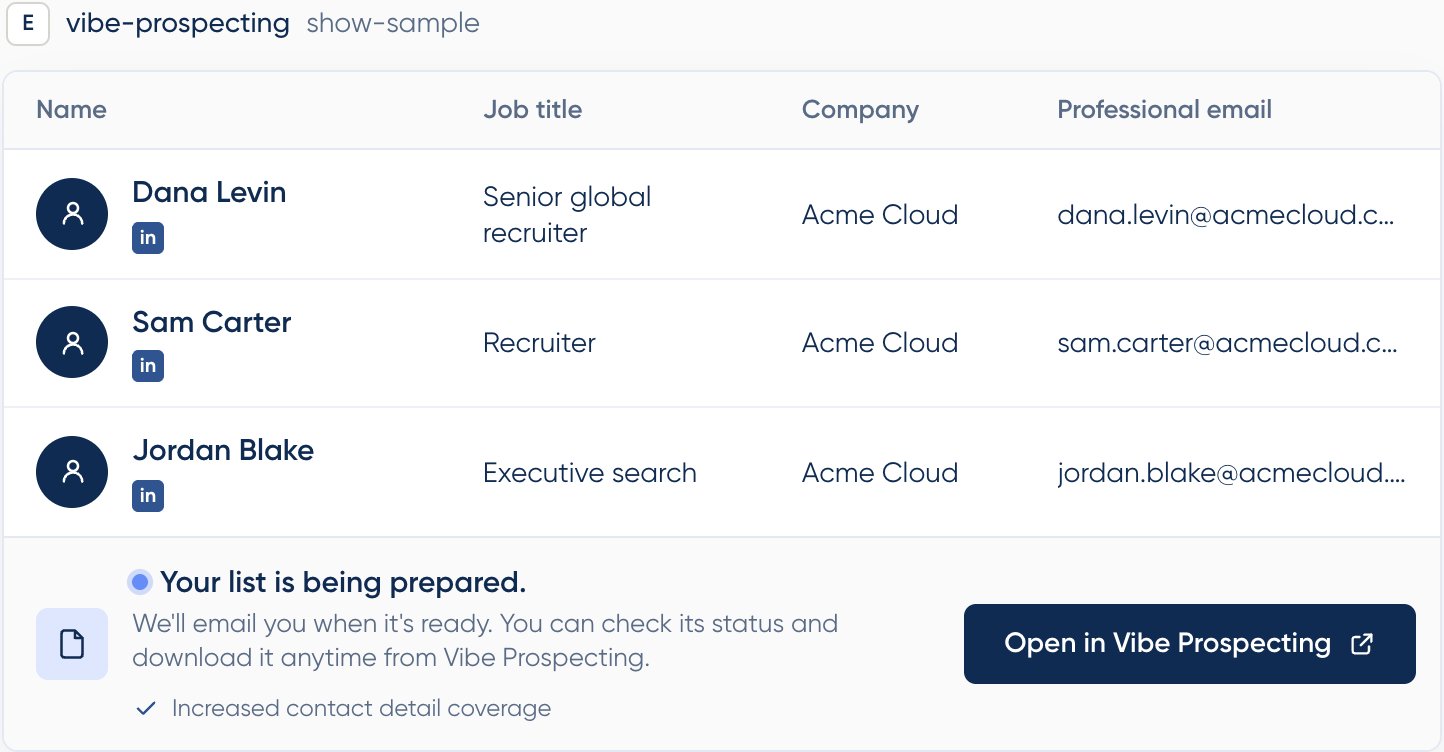
 Click **Export CSV**. Increase Coverage exports take longer than standard ones, so they run in the background: the widget shows **Your list is being prepared**, and you'll get an email when it's ready. Click **Open in Vibe Prospecting** to follow it in the [Hub](/vibe-prospecting/hub), where the dataset appears as **running** and switches to **ready** once it's done. You don't need to keep the chat open.
 ### Reaching your requested count
If you ask for more prospects than Explorium has contact details for, the widget shows the gap, for example **Export 90 rows (out of 200)**. With Increase Coverage on, Vibe Prospecting tops up the list: it adds more prospects that match your criteria, up to the number you asked for, and runs them through the external providers to find their contact details. You get closer to the size you requested instead of a short list.
## Credits
* **You only pay for contacts that are found.** Each email or phone number is charged once it's actually delivered. A prospect with no contact found by any source costs nothing for contact data.
* **Explorium contacts cost the standard rate.** Prospects that Explorium enriches are charged exactly as in a standard export.
* **Contacts found by external providers cost 3 credits per email and 15 credits per phone number.** The estimate in the widget uses these rates.
* **The estimate is a ceiling, not a bill.** Because you're charged per contact found, the final cost is usually lower than the estimate.
Need only emails? Say so in your query. Asking for just the contact type you need keeps the estimate and the final cost down, especially since external phone numbers are the most expensive item.
## Availability
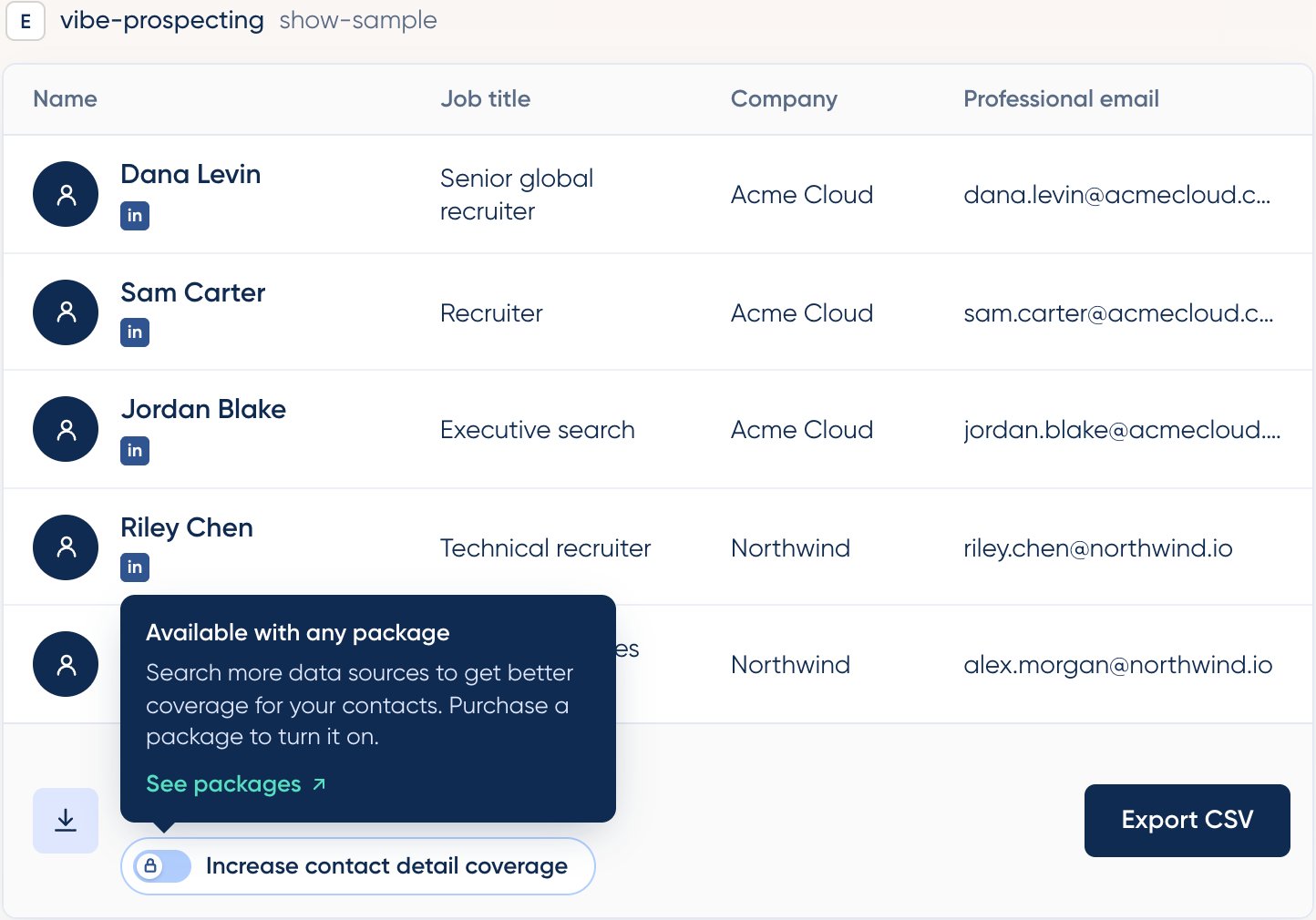
Increase Coverage is available with **any package**. On the free tier the toggle is locked, and clicking it explains that a package is required, with a **See packages** link. You can buy a package right away, or leave the toggle off and export with the standard Explorium-only flow.
### Reaching your requested count
If you ask for more prospects than Explorium has contact details for, the widget shows the gap, for example **Export 90 rows (out of 200)**. With Increase Coverage on, Vibe Prospecting tops up the list: it adds more prospects that match your criteria, up to the number you asked for, and runs them through the external providers to find their contact details. You get closer to the size you requested instead of a short list.
## Credits
* **You only pay for contacts that are found.** Each email or phone number is charged once it's actually delivered. A prospect with no contact found by any source costs nothing for contact data.
* **Explorium contacts cost the standard rate.** Prospects that Explorium enriches are charged exactly as in a standard export.
* **Contacts found by external providers cost 3 credits per email and 15 credits per phone number.** The estimate in the widget uses these rates.
* **The estimate is a ceiling, not a bill.** Because you're charged per contact found, the final cost is usually lower than the estimate.
Need only emails? Say so in your query. Asking for just the contact type you need keeps the estimate and the final cost down, especially since external phone numbers are the most expensive item.
## Availability
Increase Coverage is available with **any package**. On the free tier the toggle is locked, and clicking it explains that a package is required, with a **See packages** link. You can buy a package right away, or leave the toggle off and export with the standard Explorium-only flow.
 ## When to use it
| Use Increase Coverage when… | Stick with the standard export when… |
| :- | :- |
| Contact details are the point of the list, such as outbound sequences or dialer campaigns | You need firmographics or profiles more than contact details |
| The sample shows many rows without an email or phone | Coverage in the sample already looks good enough |
| You need close to the full requested count with contact data | You need the file immediately rather than in a few minutes |
## Related
Where Increase Coverage exports are delivered, with live status
Credit usage and how costs are estimated
## When to use it
| Use Increase Coverage when… | Stick with the standard export when… |
| :- | :- |
| Contact details are the point of the list, such as outbound sequences or dialer campaigns | You need firmographics or profiles more than contact details |
| The sample shows many rows without an email or phone | Coverage in the sample already looks good enough |
| You need close to the full requested count with contact data | You need the file immediately rather than in a few minutes |
## Related
Where Increase Coverage exports are delivered, with live status
Credit usage and how costs are estimated